• City & RTO
  • Registration Year
  • Car Brand
  • Car Model
  • Car Fuel Type
  • Car Variant
Check Vehicle & Owner Details by Registration Number
Processing
    Other models
    Other variants
    Secure
    We don’t spam
    Check Details
    Please wait..
    By clicking on “Check Details”, you agree to our Privacy Policy & Terms of Use
    Get Updates on WhatsApp

    We have found best plans for you!! Our advisor will get in touch with you soon.

    Please wait ...

    DL & RC Correction Services on Parivahan Sewa

    It is really important that your Driving Licence (DL) and vehicle Registration Certificate (RC) contain the right information. This can save you from a lot of hassle when it comes to vehicle checks, motor insurance claims, or traffic inspections. So, if you have recently moved to a new place, changed your phone number, or spotted any mistakes in your DL or RC, make sure to get those corrected right away through the Parivahan Sewa portal.

    Read more

    What DL/RC Corrections are Available on Parivahan Sewa?

    DL/RC correction is all about fixing or updating any mistakes on your Driving Licence (DL) or Registration Certificate (RC). Sometimes, you might find some inaccuracies on your DL or RC. If this happens, you can easily correct them through the Parivahan Sewa website.

    Vehicle owners commonly request:

    • Name Change
    • Address Change
    • Mobile Number Update
    • Date of Birth (DOB) Correction

    Keeping your driver's licence and registration certificate details accurate and up to date is crucial since this information is stored in the centralised database managed by the Ministry of Road Transport and Highways (MoRTH).

    Name Correction in Driving Licence/Registration Certificate

    If your name is misspelt or if you have legally changed it, you should update it in your DL or Registration Certificate (RC) to avoid issues. Simply follow these steps to get your name corrected:

    Change of Name in DL

    Here are the steps to make any changes to your name on your driving licence:

    • Step 1: Open the Parivahan Sewa website.
    • Step 2: Go to 'Online Services' and tap 'Driving Licence Related Services'.
    • Step 3: Select your state and then click on the 'DL Services' icon.
    • Step 4: Hit the 'Continue' button, and on the next page, enter your DL number, date of birth, and Captcha. Tick the box to agree to the terms of service & then click 'Get DL Details'.
    • Step 5: Enter the required details in the blank fields, then click 'Proceed'.
    • Step 6: Review all displayed details, then tap the 'Confirm' button.
    • Step 7: Select whether you wish to authenticate with or without Aadhaar, then click 'Submit'.
    • Step 8: Enter the OTP received on your phone and the captcha. Click 'Submit OTP'.
    • Step 9: From the list of services, select 'Change of Name in DL' and click on 'Proceed'.
    • Step 10: Fill in the required details and follow the on-screen instructions to complete the process by uploading the required documents and making payment online.

    After that, you can download your payment receipt and check your application status.

    Change of Name in RC

    In order to change your name in RC, you need to visit your RTO with the relevant supporting documents, such as your passport, Aadhaar, and other essential vehicle documents. Follow the instructions of the staff to get your name rectified in your vehicle registration certificate.

    Address Change in Driving Licence/Registration Certificate

    If you move to a new city or shift to a new house, updating your address in your DL and RC is necessary. To do this, just follow these simple steps:

    Change of Address in DL

    Here are the steps to change your address in DL:

    • Step 1: Visit the official Parivahan Sewa website.
    • Step 2: Under the 'Online Services' menu, select 'Driving Licence-Related Services'.
    • Step 3: Choose your state and click 'Apply for Change of Address'. Tap 'Continue'
    • Step 4: Enter your DL number, date of birth, and Captcha. Tick the box to agree to the terms of service. Click 'Get DL Details'.
    • Step 5: Select 'Yes' to confirm that the DL details are yours. Choose your RTO and click 'Proceed'.
    • Step 6: Click 'OK' on the pop-up. Your partial mobile number will be displayed. Enter the captcha and click 'Generate OTP'.
    • Step 7: Enter the OTP received on your phone and the captcha. Click 'Submit OTP'. Now, tick the box for a change of address in DL, then click 'Proceed'.
    • Step 8: Select the address type you want to update (Permanent, Present, or Both), and click 'Confirm'. Complete the self-declaration, enter the captcha, and click 'Submit'. Your application number will be displayed on the application reference slip. Click 'Next' to proceed.
    • Step 9: Upload the required supporting documents and pay the fee online through your preferred payment mode. Download your payment receipt on Parivahan and check the application status regularly.

    Change of Address in RC

    Here are the steps to change your address in RC:

    • Step 1: Open the Parivahan Sewa website.
    • Step 2: Go to the 'Online Services' tab and click 'Vehicle Related Services'.
    • Step 3: Pick your state and RTO. Tap 'Proceed'. On the pop-up, click 'Proceed'.
    • Step 4: Choose a service based on your vehicle registration number: Change of Address (BH series only or state series only).
    • Step 5: Enter the vehicle registration number and chassis number (last 5 digits). Click on 'Verify Details'.
    • Step 6: Now, follow the on-screen instructions and upload the required documents on Parivahan to complete the address change process. Also, make sure you pay the fees online, if applicable.

    *Note: Your address change must be done within 14 days of your shifting.

    Mobile Number Update in DL/RC

    If you have recently changed your mobile number, you must update it on Parivahan Sewa. This is crucial because you will receive OTPs, alerts, and updates on your registered mobile number. Follow these steps to update your mobile number:

    Mobile Number Update in DL

    Here are the steps to change your mobile number in DL:

    • Step 1: Open the Parivahan Sewa website. You will see a pop-up asking you to scan the QR code or click the link to update your mobile number. To update your mobile number on your DL, click the Sarathi link or scan the QR code.
    • Step 2: Select the relevant criteria, then enter your DL number, DOB, and CAPTCHA. Click on 'Submit' to be directed to an authentication page.
    • Step 3: Opt for an Aadhaar number. Enter the Aadhaar number. Click 'Generate OTP'. The OTP will be sent to the registered mobile number linked to your Aadhaar. Enter the OTP. Tick the boxes for terms of service and click 'Authenticate'.
    • Step 4: Verify your details and click 'Proceed'. The licence holder details, such as licence name, licence number, DOB, and existing mobile number, will now be displayed on the screen. Check the details and click 'Proceed'.
    • Step 5: Now enter your new mobile number and confirm it. Click 'Proceed'. You will receive an OTP on your new mobile number. You need to enter the OTP and click 'OK' to update your mobile number in your DL.

    Mobile Number Update in RC

    Here are the steps to change your mobile number in RC:

    • Step 1: Open the Parivahan Sewa website. Tap on 'Vehicle-Related Services' under 'Online Services'.
    • Step 2: Pick your state and RTO. Tap 'Proceed'. On the pop-up, click on 'Proceed' again.
    • Step 3: Now, tap on Update mobile Number (using Aadhaar). Enter the vehicle registration number and the full chassis number. Click 'Verify Details'.
    • Step 4: Select the Aadhaar OTP option. Type in the Aadhaar number of the vehicle's registered owner. Tick the declaration box and click 'Get OTP'. Enter the OTP received on the mobile number linked to your Aadhaar. Click 'Validate OTP'.
    • Step 5: Fill in your vehicle registration number, complete chassis number, entire engine number, registration date, and validity for registration/fitness. Tap on 'Show Details'.
    • Step 6: Enter your name and mobile number as recorded in Aadhaar. Check the 'I Agree' box and click 'Verify'. The current mobile number and the current owner's name in the Vahan records will be shown.
    • Step 7: Select 'Update Mobile Number'. Your mobile number will be changed to the one associated with your Aadhaar. You will receive a confirmation SMS.

    Date of Birth (DOB) Corrections in DL/RC

    If the Date of Birth (DOB) on your driving licence is incorrect, you can correct it by following these steps:

    • Step 1: Visit the Parivahan Sewa website. Go to the 'Online Services' section and click on 'Driving Licence Related Services'.
    • Step 2: Pick your state. Move to the Driving Licence option in the navigation bar and click on 'Services on DL'. Tap on 'Continue' to proceed.
    • Step 3: Enter your DL number, DOB and Captcha. Make sure to check the 'Terms of Service' box and click 'Get DL Details'. Your DL information will pop up on the screen.
    • Step 4: Confirm that the DL details shown are yours by selecting 'Yes'. Choose the category of the DL holder, pick the RTO office, and click 'Proceed'. You'll now see your personal details displayed.
    • Step 5: Verify your information and tap 'Confirm'. Next, select the option to submit via Aadhaar Authentication and tap the 'Submit' button.
    • Step 6: Enter your Aadhaar number and click 'Submit'. Then enter the OTP for verification purposes and click on 'Submit OTP'.
    • Step 7: Now, click on 'Change of Date of Birth in DL' and tap 'Proceed'. Select the reason for the DOB change, enter the Driving Licence Holder's DOB, and tap 'Confirm'.
    • Step 8: Complete the self-declaration form, enter the Captcha, and click 'Submit'. Finally, click 'Ok'.

    You will now see an acknowledgement receipt on your screen with your service request application number. Copy it to verify your application status on the portal.

    Documents Required for DL/RC Correction

    To correct your details or to edit your information on the Parivahan Sewa website, you need to upload the following important documents as proof:

    • Aadhaar card
    • PAN card
    • Passport
    • Utility bills (for address proof)
    • Birth certificate (for DOB correction)
    • Marriage certificate (for name change)

    Benefits of Updating Your Details in DL & RC

    You must ensure that your details, such as your address, name, and mobile number, are accurately listed on your driving licence and vehicle registration certificate. This is important for the following reasons:

    • Helps you avoid getting traffic fines for having inaccurate information on your DL/RC.
    • Ensures that you receive essential notifications and OTPs on your registered mobile number.
    • Helps authorities to maintain an accurate record of vehicle and owner information in the centralised database.
    • Allows traffic authorities to easily track and trace vehicles.
    • Aids authorities in identifying vehicles that were involved in illegal activities or hit-and-run incidents.

    FAQs

    If you have changed your phone number, it is really important to update it on the Parivahan Sewa portal. This matters because you will receive SMS notifications, OTPs, and alerts about your vehicle on the mobile number you have registered.

    If you encounter any problems while using the services on the Parivahan Sewa website, you can submit a complaint. Simply go to the Contact Us page and email the relevant authorities. You may also dial the helpline number +91-120-4925505.

    It typically takes about 2 weeks for the RTO to process and issue a driving licence. To avoid processing delays, ensure you submit all required documents with your application form.

    If you fail to revise your address on your vehicle registration certificate, you could encounter multiple problems. Your insurance company may reject your claim if your car is damaged. You could also face traffic fines for having an incorrect address on your RC.

    Typically, it takes around 10 days to get your address updated on your driving licence via the Parivahan Sewa website. However, if there are any issues with your application, you may experience delays.

    Disclaimer: The list mentioned is according to the alphabetical order of the insurance companies. Policybazaar does not endorse, rate or recommend any particular insurer or insurance product offered by any insurer. This list of plans listed here comprise of insurance products offered by all the insurance partners of Policybazaar. For complete list of insurers in India refer to the Insurance Regulatory and Development Authority of India website www.irdai.gov.in
    Disclaimer: The list mentioned is according to the alphabetical order of the insurance companies. Policybazaar does not endorse, rate or recommend any particular insurer or insurance product offered by any insurer. This list of plans listed here comprise of insurance products offered by all the insurance partners of Policybazaar. For complete list of insurers in India refer to the Insurance Regulatory and Development Authority of India website www.irdai.gov.in

    RTO Articles

    • Recent Article
    • Popular Articles
    13 Aug 2026

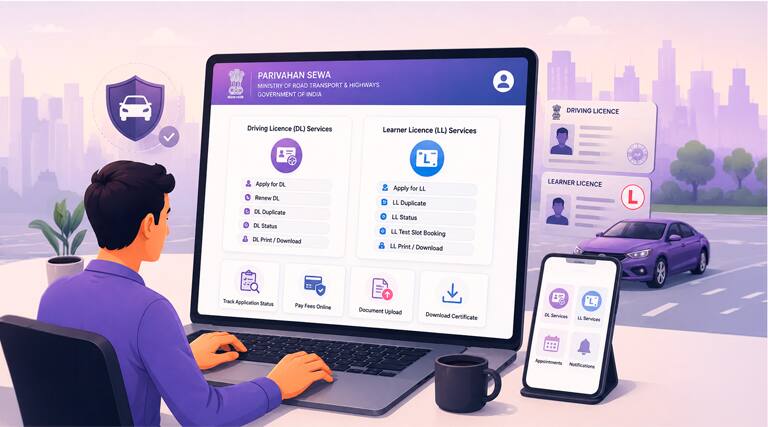
    DL and LL Services on Parivahan Sewa

    It is legally compulsory for all drivers to hold a valid Driving

    Read more
    27 Jul 2026

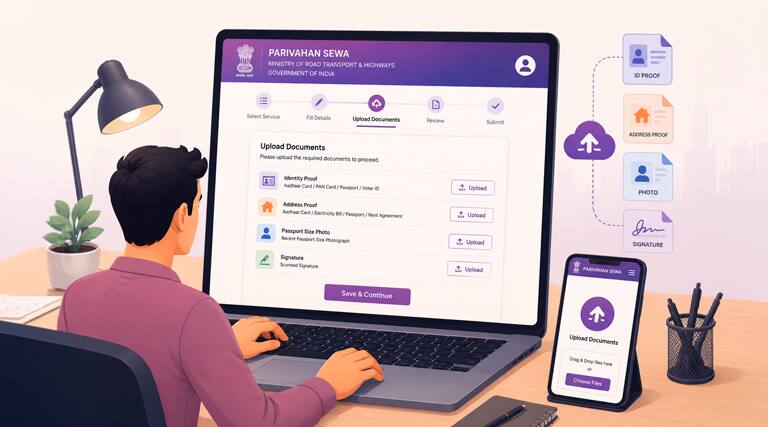
    How to Upload Documents on Parivahan Sewa

    The MoRTH introduced the Parivahan Sewa portal to make

    Read more
    23 Jul 2026

    How to Download Payment Receipt from Parivahan?

    Downloading the payment receipt from the Parivahan portal is an

    Read more
    08 Jun 2026

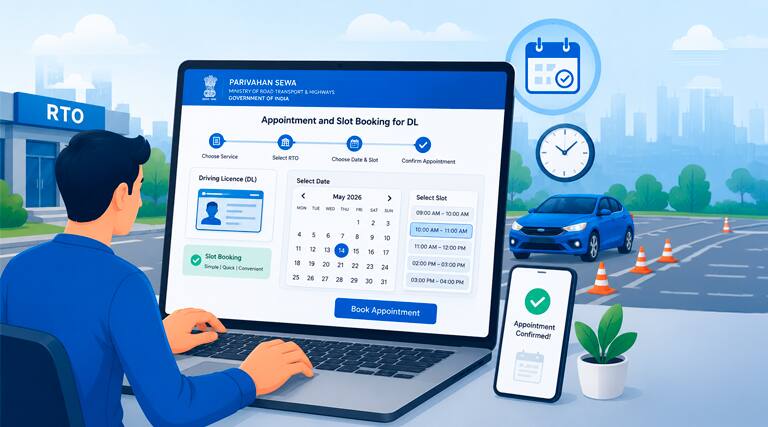
    Appointment and Slot Booking for DL on Parivahan...

    You cannot get your driving licence without passing a driving

    Read more
    12 May 2026

    Learner Licence from Parivahan Sewa

    A learner's licence (LL) is the first step to apply for a driving

    Read more

    Learner Licence from Parivahan Sewa

    A learner's licence (LL) is the first step to apply for a driving licence in India. You can easily apply, track, and

    Read more

    Appointment and Slot Booking for DL on Parivahan...

    You cannot get your driving licence without passing a driving test. However, applicants may face some issues while

    Read more

    How to Download Payment Receipt from Parivahan?

    Downloading the payment receipt from the Parivahan portal is an important step for vehicle owners. If you have paid

    Read more

    How to Upload Documents on Parivahan Sewa
    The MoRTH introduced the Parivahan Sewa portal to make vehicle-related services easier and digital. It gives you the

    Read more

    DL and LL Services on Parivahan Sewa

    It is legally compulsory for all drivers to hold a valid Driving Licence (DL) to drive on public roads. Before

    Read more

    #Rs 2094/- per annum is the price for third-party motor insurance for private cars (non-commercial) of not more than 1000cc

    *Savings are based on the comparison between the highest and the lowest premium for own damage cover (excluding add-on covers) provided by different insurance companies for the same vehicle with the same IDV and same NCB. Actual time for transaction may vary subject to additional data requirements and operational processes.

    +Savings are based on the maximum discount on own damage premium as offered by our insurer partners.

    ^Lowest Price Guaranteed is based on certifications shared by insurers with us. Policybazaar will facilitate price matching subject to the terms and conditions of select insurers.

    ##Claim Assurance Program: Pick-up and drop facility available in 1400+ select network garages. On-ground workshop team available in select workshops. Repair warranty on parts at the sole discretion of insurance companies. Dedicated Claims Manager. 24x7 Claim Assistance.

    Claude
    top
    Close
    Download the Policybazaar app
    to manage all your insurance needs.
    INSTALL